I am looking for a low-power mini computer that could be used to have an always on box with Jami under Linux (in order to sync messages reliably / all the time with my contacts). I read here that s.o. claims:
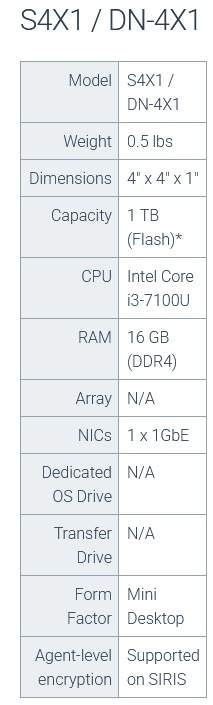
“I have some passive cooled i3-7100u boxes that idle at 1W booted into windows 10.”
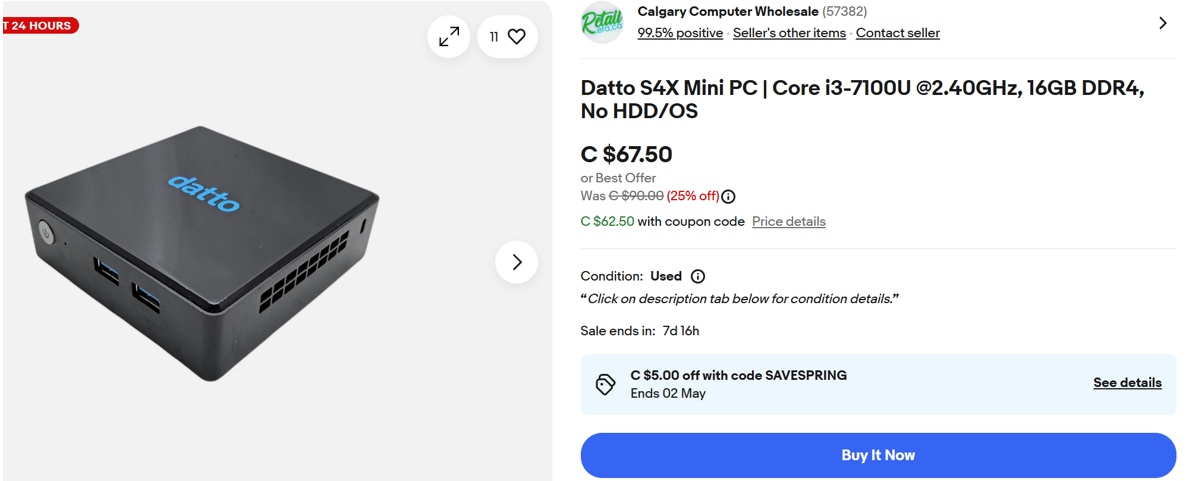
Example of such a second-hand device sold on ebay:
Thank you very much for the link your provided in your message. Initially, I was thinking to use one dedicated device as a single server to make the Jami data tied to my account available 100% of the time for my contacts. However, by exchanging on the “Jami Test Communauté” this evening, it appears that within the swarm, there might be sometimes latency problems for some messages to reach the receivers. I was wondering if using for instance 2 servers (one in North America, another one elsewhere in the world) would alleviate these issues on Jami swarms.
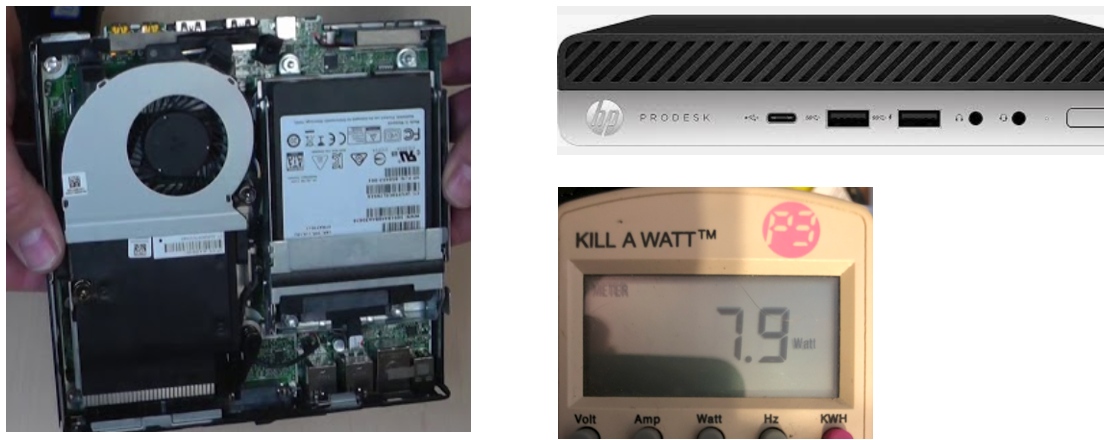
I finally settled a one secondhand ProDesk 600 G4 Mini PC (DM), 16GB RAM, 480GB SSD, i5-8500T (6 cores, 9MB cache, base frequency 2.1Gz, max. frequency 3.5Ghz, 35W TDP) that I got for a low price (85 CAD, 55 EUR, 62 USD). I used Linux Zorin 17.3 Core for the OS. I wanted something with a lower base frequency (too much power wasted), but as a starting point that seemed acceptable to me.
With the Jami server installed, in idle mode, the computer consumes around 8 watts (see photo below). I did the measurement with my computer connected to a Kill-A-Watt device. I’ll run a series of tests with my configuration and post my results in this thread.
My initial observation is that the chat works well when using the server (e.g. one device sends a message to a disconnected peer, then it disconnects, and then the peer connects: the message is then displayed on the receiver device), but that synchronization between devices is difficult when sending files of size like 19Mb. My server is on the same subnet as my main device, is there a way to speed up the synchronization between devices in this situation?
One of the issues I note is that there does not seem to be a way to know when the file is synchronized with the server following the sending of the file by my main device that shares the same account. However, if this other device then disconnects from the network before the file is downloaded by the server, the server cannot transmit the file to the other devices. This very slow synchronization that I noticed between my main device and the server is a significant inconvenience. How is it possible to access the server log on Linux to try to determine if this is a configuration problem?
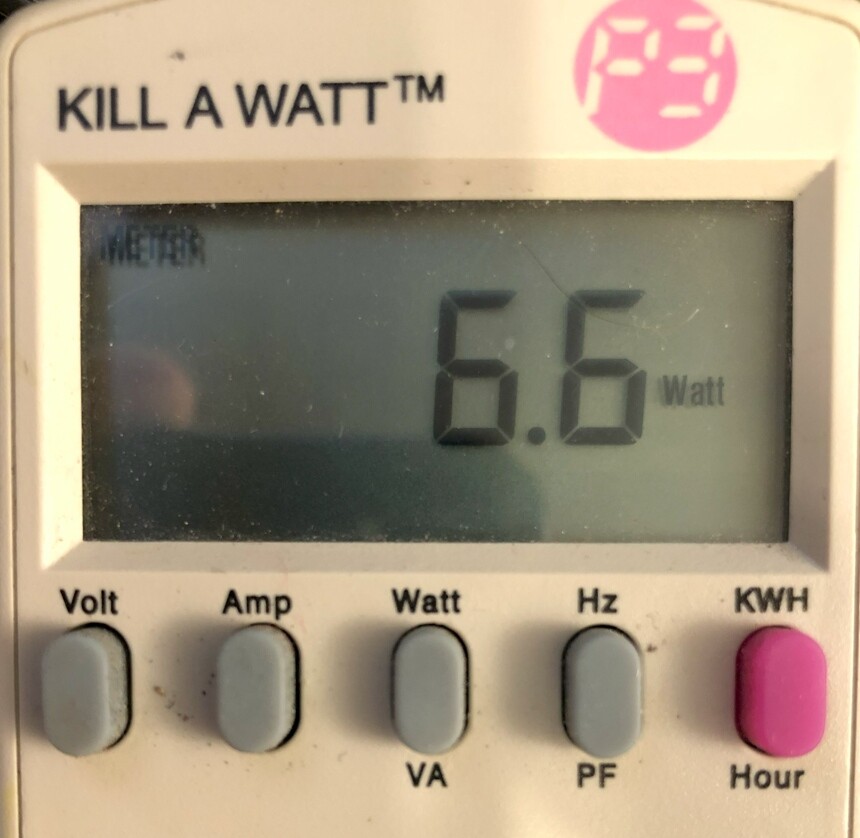
Something is perplexing me. I made a power consumption comparison between the installation of the full Jami client vs. the installation of the Jami daemon only on my mini computer. Here is the power consumption when there is no particular Jami activity on the computer (with the Jami client running on Linux):
Although the difference is marginal (7.9 watts with daemon only vs. 6.6 watts with full Jami client), it is lower with the full client compared when using the Jami daemon only. So why would someone use the Jami daemon only? Is there something I am missing, because an “always on” Jami client on a mini computer seems to achieve… exactly the same goal.
I used to obsess with the idle consumption a lot, like you do, whether it’s 6w or 20w. While they will cost $12 and $40 in a year respectively, you should put the cost in the larger context of other services you may want to run together.
Going for a 15-20w mini pc, allow you to run Proxmox Virtual Environment (PVE) and run multiple virtual servers on them. Jami will be only one of the several VMs. The cost of idle 20w no longer seems to be wasteful. What can you use a home server like this for ? Here an example:
a network drive by plugging in multiple portable HDD so that you can perform automated backups, easy access to documetns and photos
A photo gallery software like Photoprism which indexing your photos on the network drive, and then allow you to view in a browser, by year, month, or face tagging. We discovered so many old photos we have forgotten.
A VPN server such as wireguard or tailscale.
A remote control server such as RustDesk, that works like Teamviewer or Google chrome desktop.
Adgurad to remote online ads and phishing sites for all devices at home
A blog or a wiki page for family to share information (e.g. BookStack and WordPress).
Muliple windows VMs for family member to use where you can backup them easily even if they mess them up and you can roll back easily.
I bought a new Beelink SER5 Ryzen 5 5560U, 16G, 512GB SSD for $350, later, an off-lease HP 705G4 16GB no SSD for $85. The $85 one works nearly as good as the $350 one. But I have no regret of the $350. You can buy one for $200 (N150 CPU).
You are right. I was however wondering if there is any downside to using the jami client instead of using the daemon only if I have a GUI on my small “server” device.
 compared when using the Jami daemon only. So why would someone use the Jami daemon only?
  Is there something I am missing, because an “always on” Jami client on a mini computer seems to achieve… exactly the same goal.