jchdel
1
I have an air-gaped LAN with 3 dhtnode happily running.
I moved a running jamid to that LAN. It keeps trying to read old peers on the internet and do not discover the DHTnodes 
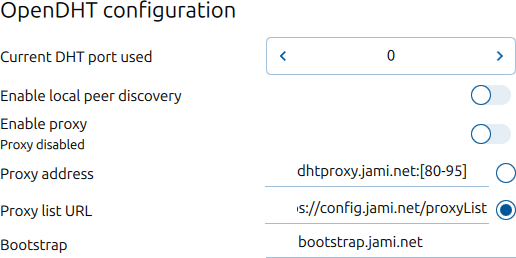
How do I tell to jamid running on a fourth box to use one of those DHT node as bootstrap?
jchdel
3
jamid is not the desktop client with a GUI! I mean the jami-daemon talking to it via DBus (via controller.py)…
jchdel
4
I can hack around setting the DHTnode_IP in /etc/hosts for bootstrap.jami.net but that is not elegant nor easy to maintain…
Is there a setAccountDetails method?
self.configurationmanager.setAccountDetails(account, {'Account.bootstrapListUrl' : 'DHTnode_IP' })
jchdel
6
Thank you for the hint.
As it is an account property, I understand it will follow the account if I copy local account files to another box.
src/account_schema.h doesn’t cite the property Account.bootstrapListUrl
but I found in src/account_config.h
/** SIP hostname (SIP account) or DHT bootstrap nodes (Jami account) */
std::string hostname {};
I suppose that one will do;