Starting Jami on my laptop has a sensible impact on my LAN:
Latence of pings to the router increases by 10x.
Percentage of sirq (System IRQ?) in top on the router reaches more than 30% while staying at 0% usually. And the ksoftirqd process consumes a lot of CPU.
My wife starts shouting at me and ask to stop my Jami client
After a few minutes, the network traffic calms down and WiFi can be used again.
The explanations I have modeled:
I have defined a lot (a few hundred of thousands!) of firewall rules on the router to block some IP addresses (bad actors and advertising). I’ve been using these rules for years and the LAN has always been reliable. The router has enough CPU and memory to accommodate normal traffic with these rules.
When Jami starts, it tries to establish may connections at first.
This burst of connection requests overwhelm the router, with impact on LAN users.
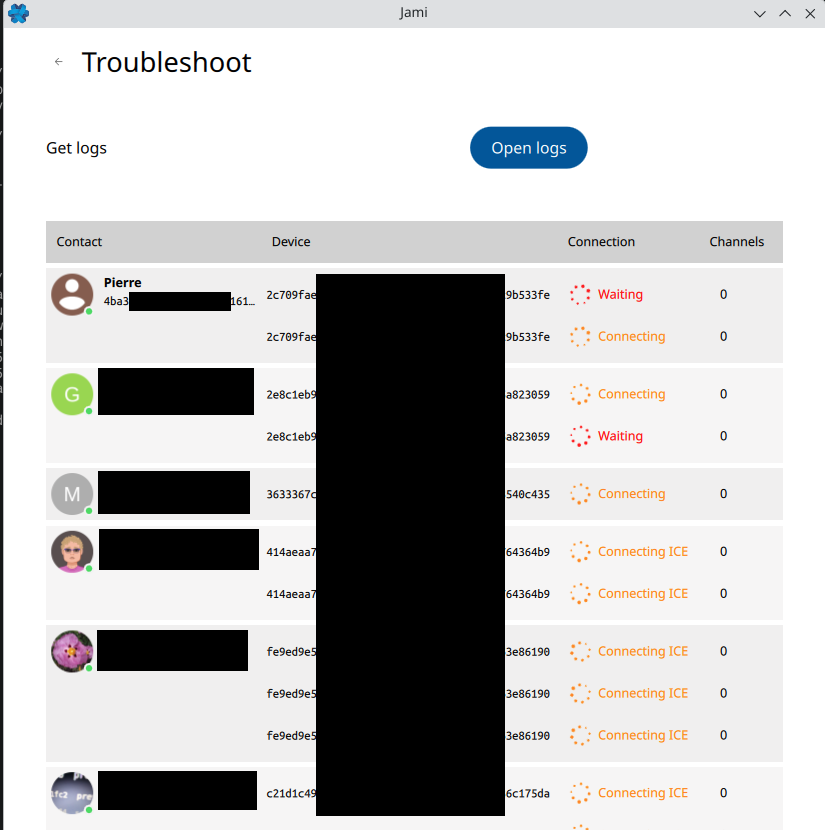
If I look at what Jami shows of its network activity, in Settings > General > Troubleshoot, just after launch I see Jami requesting and establishing a lot of connections. But this display is quite cryptic when you try to understand what’s actually happening. Here is an example anonymised to keep privacy of contacts:
First, one can see multiple lines for the same contact with identical devices GUID. My assumption is that there is one line by discussion/swarm by contact.
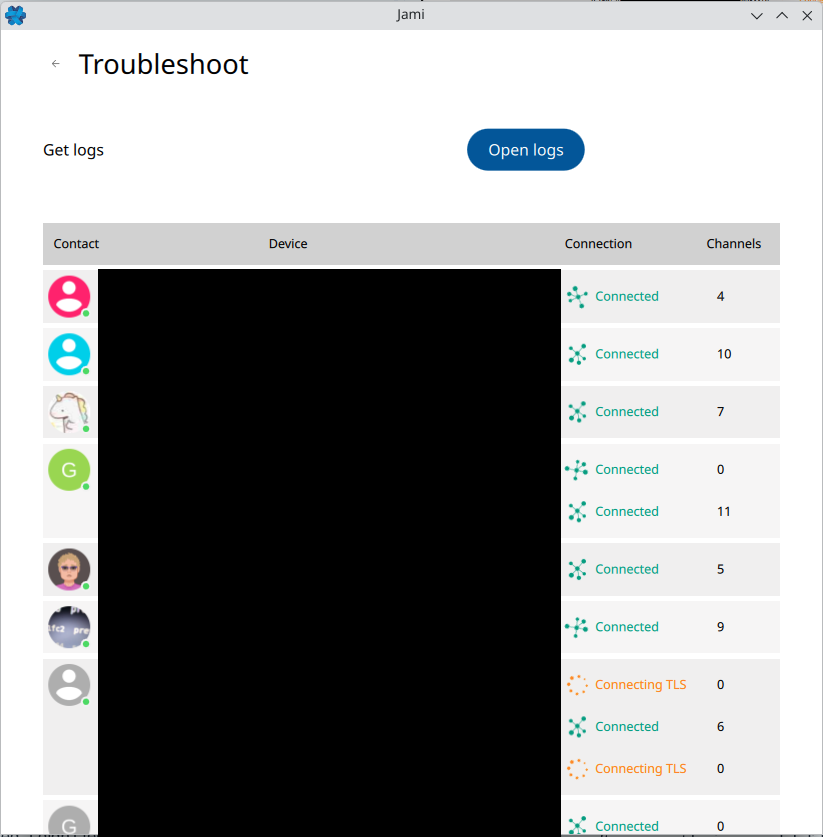
Secondly that can’t be captured in a single picture, this list of contacts fluctuates in time. After a few seconds, some contacts disappear while new ones appear, switching again and again. My own contact can have tens of lines, and then only one a few seconds later. Some contacts have such a behaviour too.
And then, after a few minutes, the Channels number that is 0 in the screen capture, gets a number and the list stabilizes. What is the meaning of this number is a mystery. Is it the number of P2P sessions opened and established?
Can someone explain what is the algorithm used by Jami to create sessions when it starts?
Does it try to connect to all contacts in all swarms up-front?
What are the steps of a connection (Try to find address with ICE, then TURN, then…)?
Why does my own contact appears in the list and Jami tries to connect to itself?
What would be the tools and the steps to debug and understand what happens at Jami launch?
Can the developers improve this troubleshoot panel to display more precise information? Or at least explain how to use it? I just discover while writing that you can click on the Channels number and a popup with URLs (git://, msg:// and swarm:// prefixed by a number) appears and that the Connected has a tip with the IP address!
I think this part of the software (sessions establishment) must be improved. I didn’t feel such impact on the network with older versions and I must not be alone, particularly for people who use old equipment.
The same phenomenon happens if I resume the laptop from sleep. Jami starts again staurating the WiFi and no other network application can work. For instance, I was unable to access this web site to add this post. I had to quit Jami for the Web page to display immediately in the browser.
This time, I opened the View Logs window too and I watch endless lines of
[1778113990.637|5664|ice_transport.cpp       :832 ] [ice:0x7f3be8018350] ICE transport is not running
[1778113990.637|5664|ice_transport.cpp       :832 ] [ice:0x7f3bb8117240] ICE transport is not running
[1778113990.638|5664|ice_transport.cpp       :832 ] [ice:0x7f3be00de930] ICE transport is not running
[1778113990.638|5664|ice_transport.cpp       :832 ] [ice:0x7f3b80036260] ICE transport is not running
[1778113991.617|5664|ice_transport.cpp       :832 ] [ice:0x7f3b600cb170] ICE transport is not running
[1778113991.617|5664|ice_transport.cpp       :832 ] [ice:0x7f3bc8189a20] ICE transport is not running
[1778113991.617|5664|ice_transport.cpp       :832 ] [ice:0x7f3be8018350] ICE transport is not running
Before I quit Jami, the Troubleshoot windows did not display any established connectons after a few minutes wait.
This behaviour is more and more intriguing.
7. If a peer appears in multiple discussions, does Jami connect multiple times to the same peer as the Channels number seems to relate?
8. Why does Jami need to send so much data to establish sessions?
The following two captures are from KDE network bandwidth monotor. The first one shows what happens when Jami starts, and the second one when I quit it.
This is a rare issue. Most people should not put too much pressure on the network and WIFI when using Jami. Currently, the more common problem encountered is that Jami generates a lot of traffic when it is online for a long time, but this time is measured in months, and it is not much when distributed to a specific moment.
Just not to be misleading. When I write LAN, it does not mean that Jami is used on LAN-only, like documented in the link you shared. I have a bridge to the Internet and all my contacts are on the Internet.
And this Jami behaviour is almost reproducible at will. I know another contact where it happens too, and both of us don’t keep our computer online for months.
This is an interesting investigation. I cannot contribute as I do not have enough conversations open to see any impact but will follow closely as I’m working on writing a jami client for my phone…
I’m not sur it would help with this problem. The way I understand it is that my router is saturated by all the connections/packets that Jami is bursting at launch. Depending on the way that Jami communicates with the proxy (I don’t think it will open only 1 connection with the proxy), the burst of packet will still exist and the proxy (i.e. the router) will still have to open all the connections. And drown under the wave…
What would really help for all user is to get a general (1 mille-high view) understanding of the algorithms used by Jami. That’s something that is not found into the documentation. And i would help answering some questions like:
Why does Jami send so many packets at launch? OK, it must resolve the IP addresses of the contacts, but it can do it with a single connection to the resolver. What else happen?
Does Jami open a connection with all the contacts in my address book up-front? Even with those I never talked to or those I haven’t talk to for years, in swarms I don’t use anymore?
Why are some many network packets exchanged? The volume of the exchange is impressing. What’s happening?
If a contact is present in multiple swarms, does it open a Channel for each swarm where this contact is a member? Is it the explanation for the Channels number we see in the Troubleshoot window?
etc.
If the users don’t have to consider Jami as a black box, they can better use it. There would be less complaints in this forum and more positive experiences.
A friend of mine suggested that this might be a bufferbloat issue, so I recommend you investigate this aspect.
I have many contacts, but I’ve never encountered a problem like yours.
I’ve enabled SQM on my router this weekend. It helps a bit but this does not explain why Jami has to burst these waves of packets, particularly when the laptop resumes from sleep.
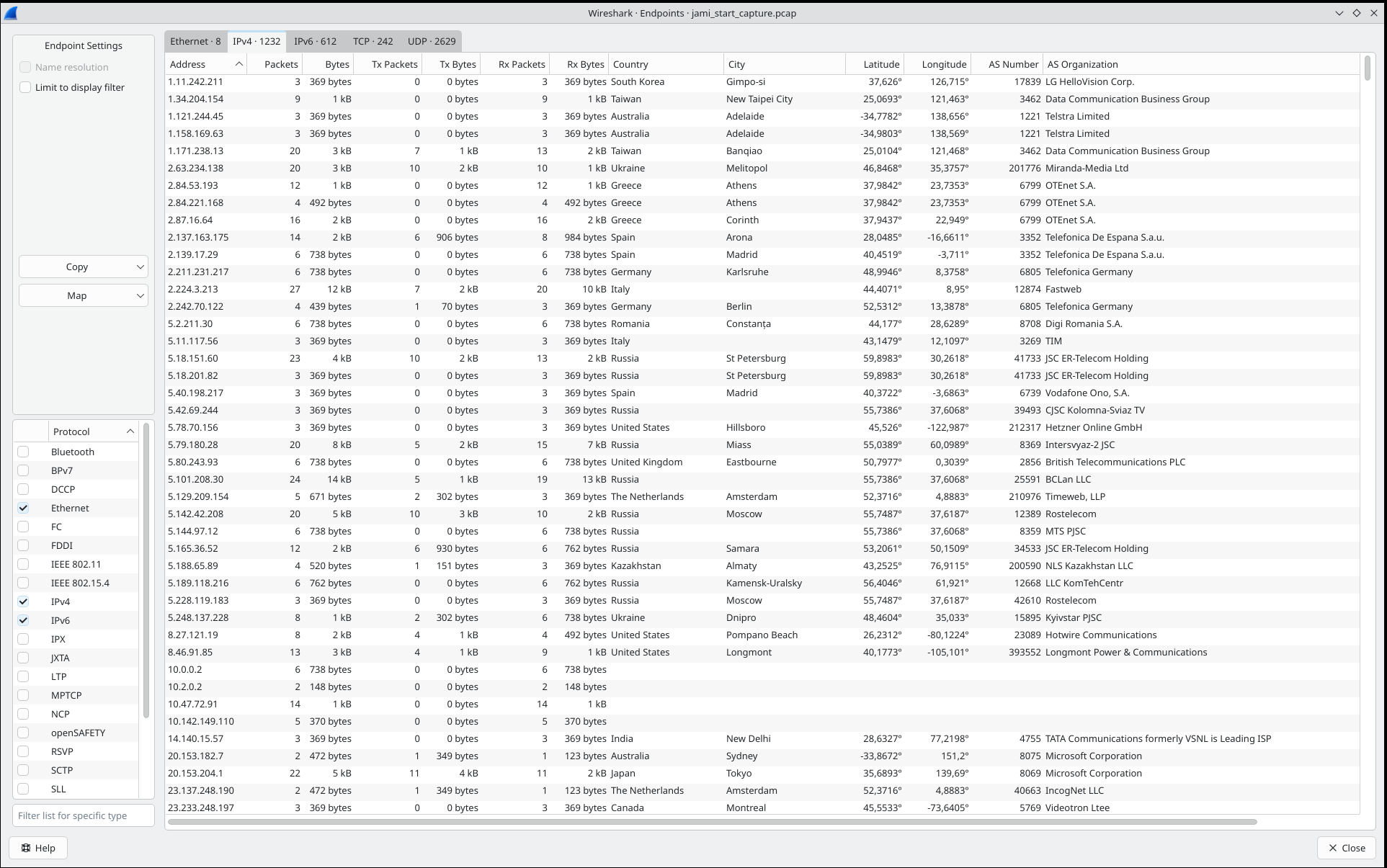
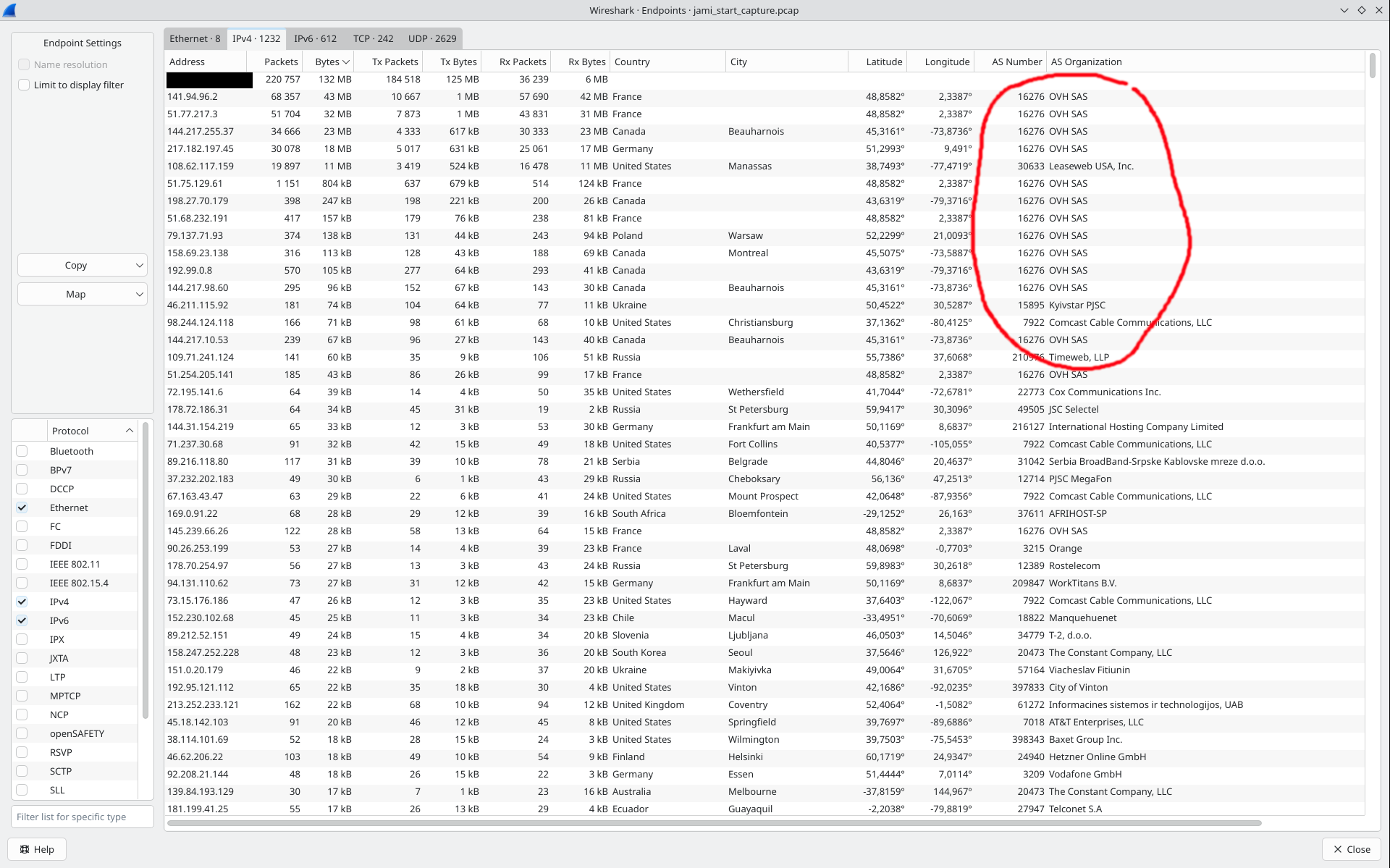
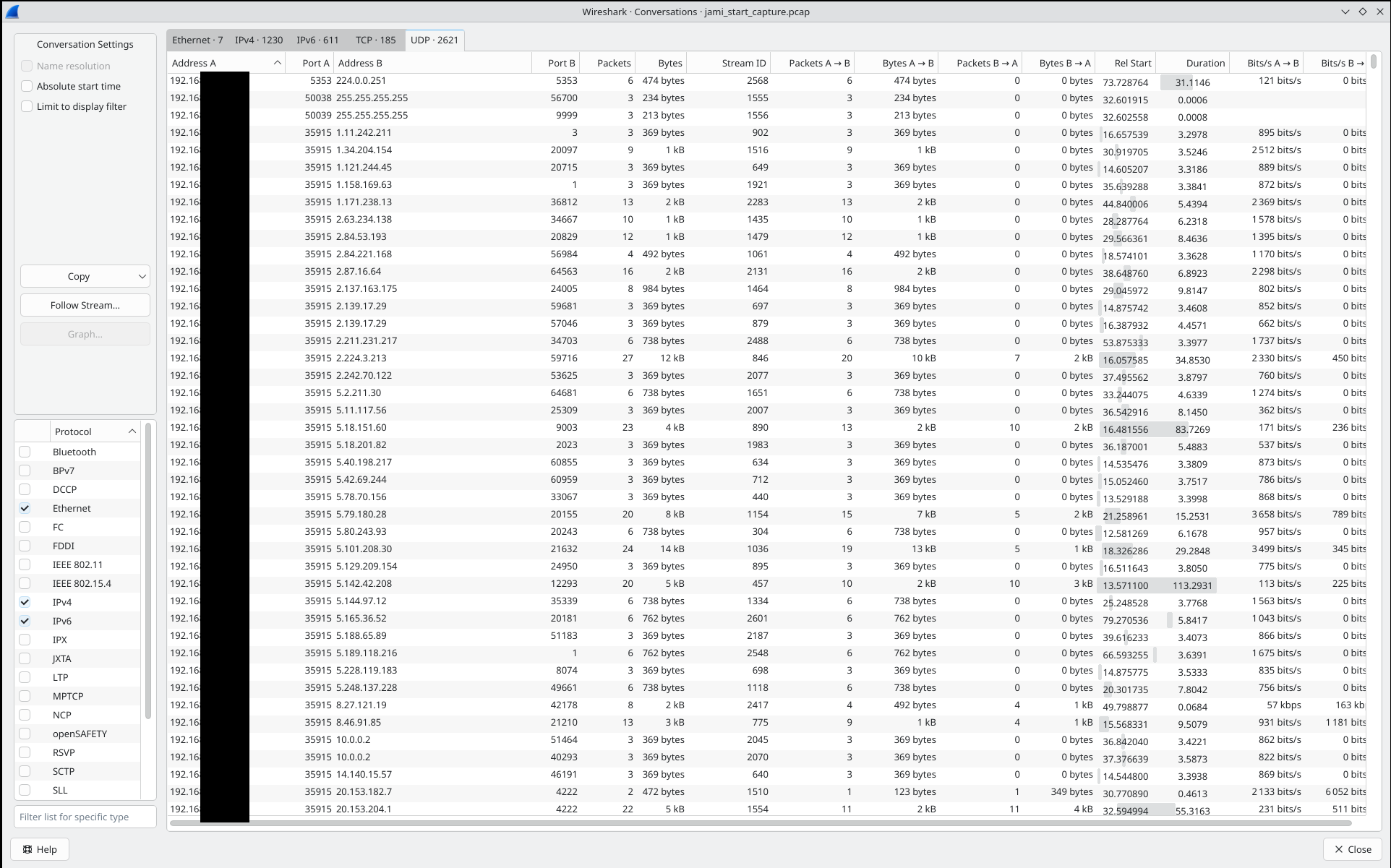
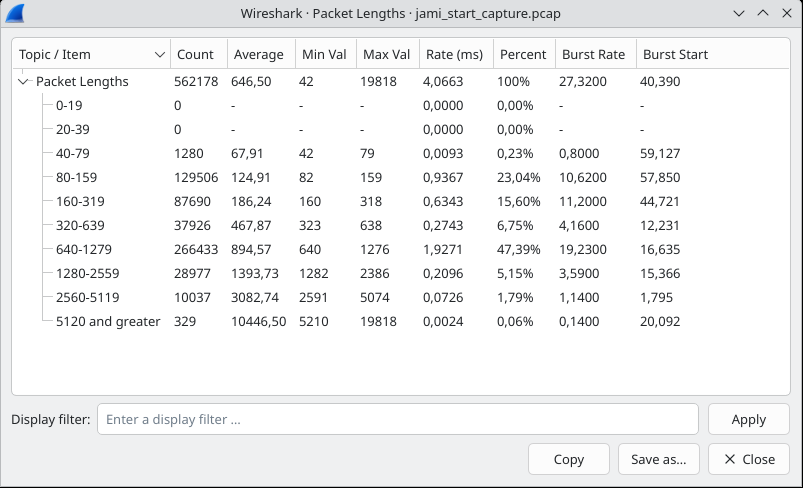
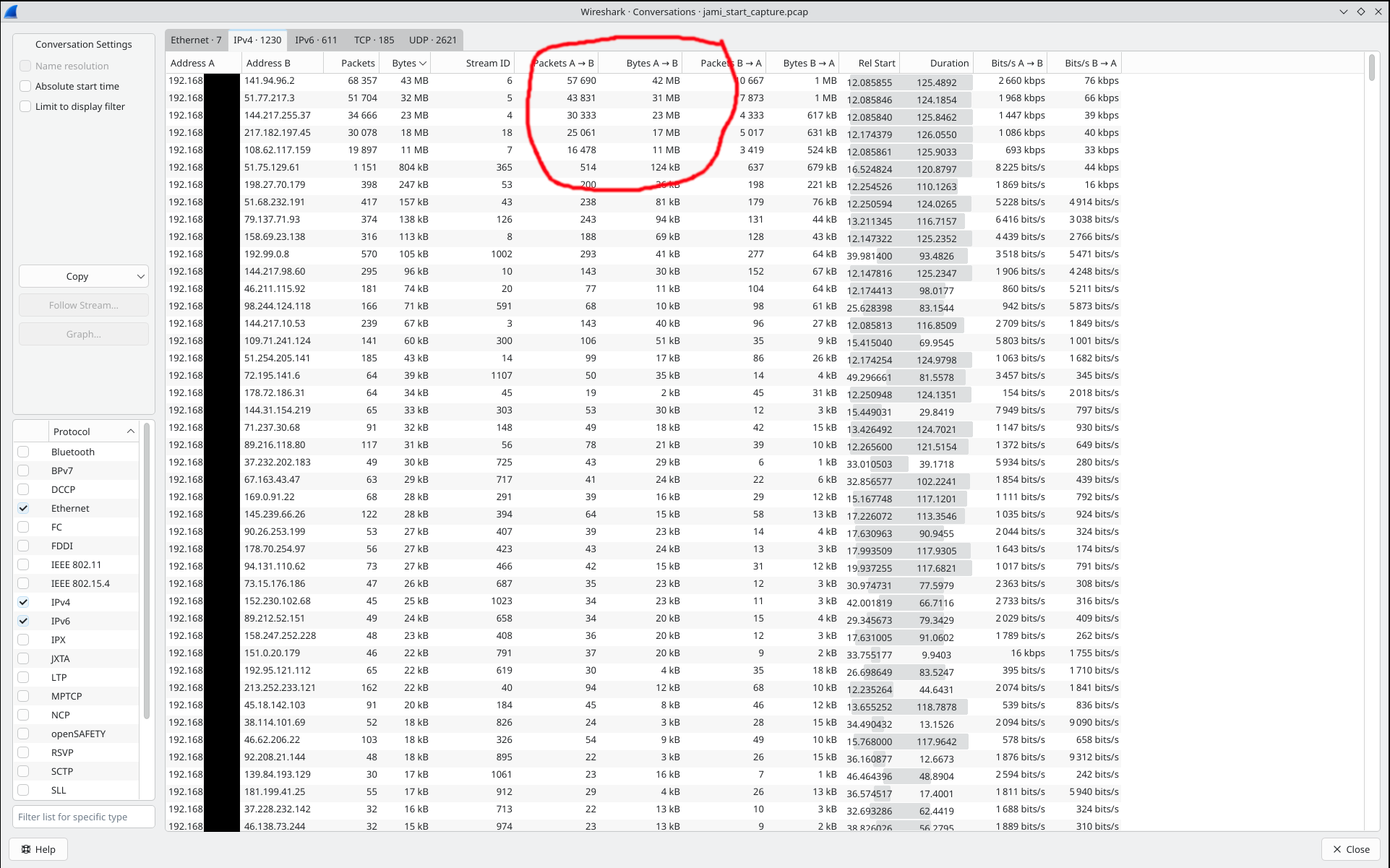
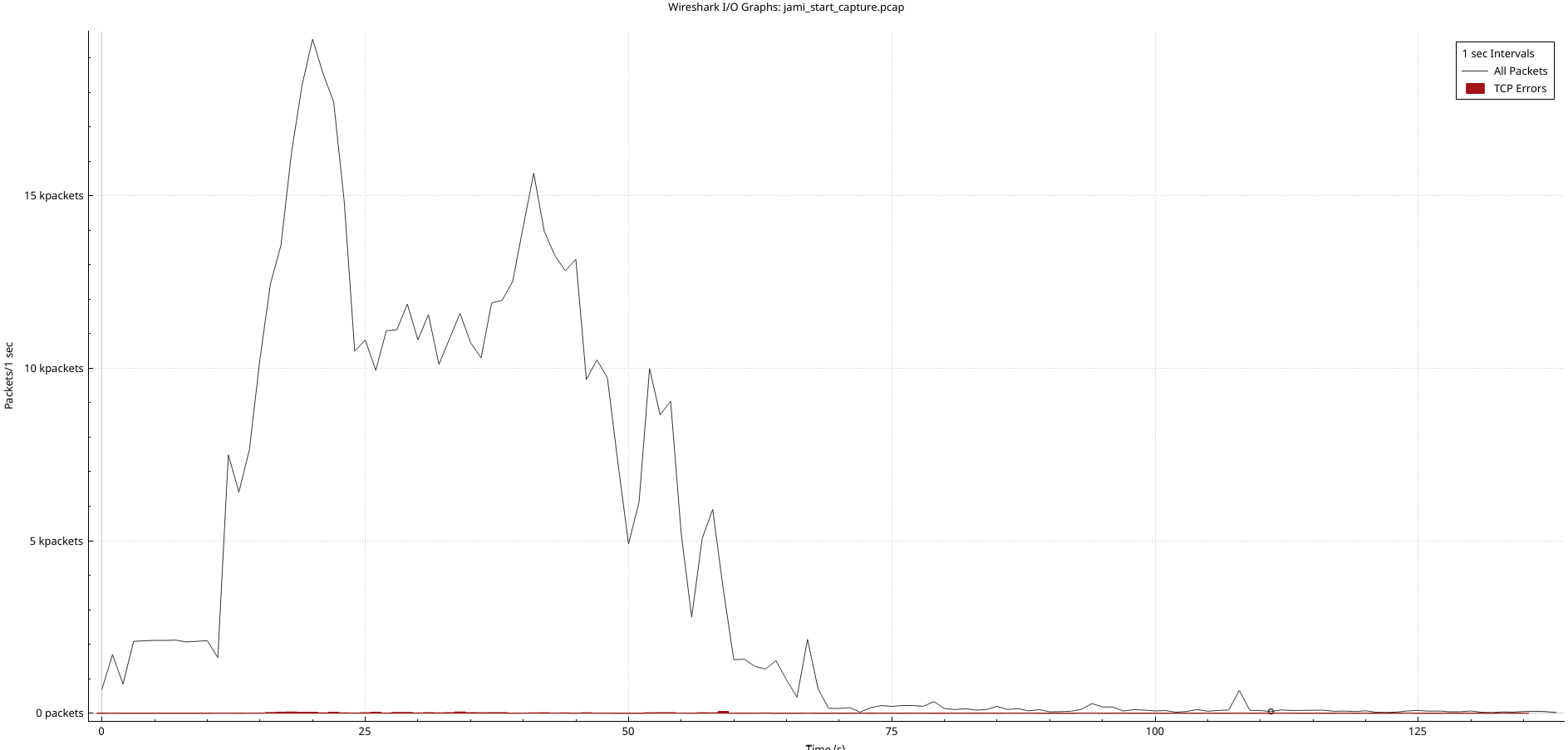
Tonight, I had more time to investigate the traffic on the Wi-Fi with tcpdump and wireshark. Here is what I saw, after capturing the network packets on my laptop, for 1 minute when starting Jami.
One can see that multi-megabytes were exchanged with some destinations, even if I did no actions on Jami, just letting it start and run for ~1 minute. It’s no surprise that users are seeing their data plans skyrocket.
In my mind, Jami is not a fair player on my network where my firewall is filtering on many IP rules. Now I can see what happens, but I still don’t have an explanation why Jami is behaving like this.
If Jami behaviour does not change, I consider removing it from my laptop, or at least disabling launch at startup. That’s a shame not being able to have a communication software always online.
Today, the Jami process was taking 80% of CPU, while the Wi-Fi interrupts were using 10%. No other process (Web, email…) was able to run at the same time…
I’m really angry with the way the new versions of Jami are behaving on the network.
By definition a distributed peer-to-peer system will transmit data to nodes all over the Internet. It is the same concept as Bittorent so what you describe is actually the normal behaviour. Did you notice an increase of data usage recently? (And yes, there is a obviously a lot of room for optimization and we are working on it).
I’ve been using Jami for years without problems, and my family on my Wi-Fi too, but I started receiving complaints from family members as soon as I start my laptop with Jami launch on start, for last few months. Like I wrote, the Wi-Fi router is being flooded by paquets and Wi-Fi becomes un-usable for minutes. I never noticed such behaviour is the previous years.
I understand how a P2P software is supposed to work. But let say that I have max 50 Jami contacts and 20 swarms, if Jami needs to open a network connection with all of my contacts, I expects to see around 100 new connections appear when it starts, in a pessimistic view (because it would try to open connections with contacts or swarms I don’t want to reach).
But what I see presently is thousands of connections!
Yes, Jami is using the DHT to find IP addresses of contacts and other stuff. DHT is distributed and redundant to be resilient. Let say that it uses a 10-redundancy factor, meaning that the information is duplicated 10 times. To find my contacts information, I need 10 times my contacts/swarms that we estimated at 100. So Jami needs to open 1000 connections. But I see much more than 1000 different destination IP in 1 minute!
Either my estimates, that I tried to be conservative are wrong, else there is a problem with some recent changes in Jami. @verojean who like me uses old linux hardware but also uses the beta version of Jami has already complained a few months before me that his computer becomes un-usable for 20 minutes when he starts Jami. On my side, I’m using the stable version.
I’ve opened the bug request Making sure you're not a bot! last week because this situation is unsustainable in the long term.
When I use Jami at home, with a LAN cable to a fiber connection, it sometimes goes to 100% of one CPU core, but it still does not affect other things I am doing significantly. Right now, I am using a cellular connection which I measured to be between 20-40 Mbits/s in DL and 5-20 Mbits/s in uplink, then whenever Jami starts, I cannot even load any web page anymore and all other programmes I am using say they lost the connection.
Perhaps Jami could try not taking the whole network bandwidth, especially on a slow connection, or if some measurement (e.g., ping response time) seems too badly affected.
The large amount of network activity generated when recovering from sleep seems to be a known issue and has been mentioned on this forum and gitlab. You can try modifying the UPNP settings to see what might happen.
Thank you but I don’t use UPnP. I have a firewall on my Wi-Fi / LAN to manage and control traffic. I don’t want devices deciding that they can bypass my firewall to open holes with UPnP in the traffic manager.
J’en suis rendu à empêcher Jami de rester toujours actif sur mon ordinateur portable, ce qui est quand même contradictoire avec la raison d’être d’un système de communication qui devrait rester toujours disponible !?
Cela va inciter de nombreux utilisateurs à tout simplement abandonner jami si rien n’est fait rapidement…
J’ai signalé, comme Pierre ce problème depuis plusieurs semaines, mais SFL m’avait assuré que j’étais un cas isolé… cela ne semble pas être le cas. Merci, si vous lisez ce message et que vous êtes dans la même situation que nous de le dire, et le faire savoir.
Jamicalement
Tranduction deepL : I’ve reached the point where I have to stop Jami from running constantly on my laptop, which is rather at odds with the whole point of a communication system that’s supposed to be always available, isn’t it!?
This will prompt many users to simply give up on Jami if nothing is done soon…
Like Pierre, I’ve been reporting this issue for several weeks, but SFL assured me I was an isolated case… that doesn’t seem to be the case. Please, if you’re reading this and are in the same situation as us, speak up and let people know.